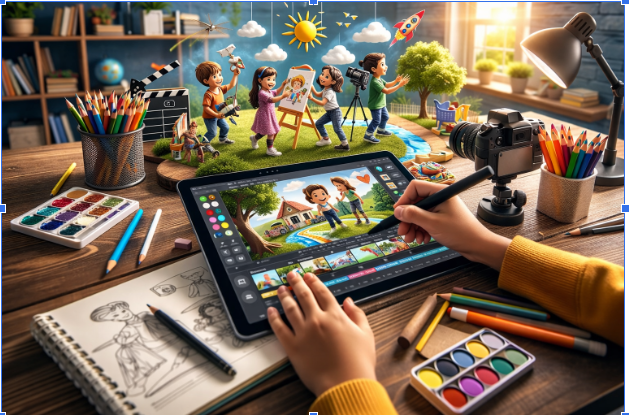

Creating captivating cartoons for kids’ stories and educational content is an exciting way to make learning fun. Whether you’re an educator, content creator, or a parent looking to make your child’s imagination come to life, cartoon creation tools have revolutionized how we tell stories. With AI technology and easy-to-use platforms, anyone can turn their creative ideas into animated cartoons. Let’s explore six of the best tools for making cartoons that will both entertain and educate young minds.
1. Invideo: The Ultimate Online Cartoon Video Maker
At the top of the list is Invideo, an AI-powered video creation platform that simplifies cartoon making for all ages. With Invideo, you can easily create cartoon videos for kids’ stories and educational purposes. This online cartoon video maker allows users to generate content from simple text prompts. Whether you have a script in mind or just a loose idea, Invideo takes care of everything—from writing the script to adding visuals, voiceovers, and even music.
Invideo’s platform offers a versatile suite of tools, making it accessible for both beginners and seasoned video creators. The ai video generator app provides an intuitive interface where you can input your ideas and see them transformed into professional-quality cartoon animations within minutes. With features like customizable avatars, diverse voice options, and a library of stock images, your stories will come to life effortlessly. Whether you’re making a fun animated tale for children or a lesson-packed educational video, Invideo gives you the flexibility to create engaging and polished cartoon videos.
2. ToonDoo
Next on our list is ToonDoo, a web-based cartoon creation tool that is simple and fun to use. It provides a wide range of pre-designed characters, backgrounds, and objects to help you create custom cartoons. ToonDoo is especially great for beginners, as it doesn’t require advanced technical skills, allowing you to focus entirely on your storytelling. The drag-and-drop interface makes it easy to place elements and add text bubbles, making it perfect for kids’ stories.
The tool also has a feature called “ToonDooSpaces,” where users can collaborate with others, making it ideal for educators who want to work on joint projects with students. While it is primarily designed for fun cartoon creation, ToonDoo also allows for the creation of educational comics that can explain complex ideas in a kid-friendly format.
3. Animaker
For those who want a more polished animation experience, Animaker is an excellent choice. This platform allows you to create both 2D and 3D animated videos using a user-friendly interface. Animaker comes with a variety of templates specifically designed for educational content, making it a popular choice for creating cartoons that teach kids new concepts in an engaging way.
Animaker’s drag-and-drop editor is intuitive, and it offers a huge selection of characters, backgrounds, and assets to choose from. You can also customize characters to look exactly how you want them. Additionally, Animaker provides features for voiceovers, sound effects, and music, allowing you to fully control the tone of your cartoon. Its versatile tools make it easy to generate kid-friendly content with high production value.
4. Vyond
Vyond is a powerful animation tool that stands out for its ability to create professional-quality cartoons with ease. It is widely used in educational settings for its ability to produce informative videos with an engaging visual appeal. Vyond offers a wide range of templates that can be customized for kids’ stories or educational cartoons.
One of the platform’s standout features is the ability to create fully customizable characters, which is ideal when making cartoons that represent different cultures, backgrounds, and learning styles. With Vyond, users can create dynamic scenes and use features like lip-syncing and animation timing to create smoother, more fluid animations. This makes it a top choice for businesses or educators who want to create high-quality, educational content that holds kids’ attention.
5. Powtoon
For a more interactive experience, Powtoon is a great option. This tool allows you to create animated videos and presentations with a combination of cartoon characters, voiceovers, and music. Powtoon is widely used in both educational and business contexts, but its ease of use and versatility make it an excellent tool for kids’ cartoons.
Powtoon offers a variety of templates that can be customized to fit any theme or educational need. Its library includes pre-made animations, characters, and scenes that can be modified to suit your storyline. Whether you’re creating fun animations or informative tutorials for kids, Powtoon provides the flexibility to create professional animations without the need for complex skills.
6. Creaza
Last but certainly not least is Creaza, a multimedia tool that combines cartoon animation with mind mapping and storytelling. This tool is perfect for kids’ education as it helps them visualize their ideas and express them through animation. Creaza is ideal for creating simple educational cartoons and is a favorite among schools and teachers.
The tool offers a user-friendly interface with drag-and-drop functionality for easy animation creation. Teachers and students can use Creaza to develop storyboards, create comics, and even build animated presentations. It’s a great way to engage children in learning while giving them the creative freedom to design their own cartoons.
Conclusion
Creating cartoons for kids’ stories and educational content has never been easier, thanks to these innovative tools. Whether you’re an educator looking to craft engaging lessons, a parent wishing to tell a fun story, or a content creator aiming to entertain and educate, these six cartoon makers will help bring your ideas to life. From Invideo’s seamless online cartoon video maker to platforms like ToonDoo, Animaker, Vyond, Powtoon, and Creaza, there’s a tool out there for everyone. By leveraging these platforms, you can ensure that your cartoons are not only fun but also educational and engaging for young audiences. Happy animating!